

Buy Now Free
- Level Beginner
- المدة 3 ساعات hours
-
Offered by

عن
بنهاية المشروع ده، هتكون خبير بكيفية استخدام Microsoft PowerPoint online عشان تعمل personal portfolio قوية تجذب انتباه اى شخص يشوفها سواء كان مسئول توظيف او عميل بيشوف شغلك وبيتعرف عليك من خلال الـ portfolio بتاعك. خلال المشروع هنمشى مع بعض خطوة بخطوة عشان نقدر نصمم portfolio من الصفر بالشكل والـdesign الي إنت عايزه. وهتقدر تملاها معلومات بأشكال مختلفة عشان تعرض فيها نفسك وخبراتك وشغلك زي مثلاً الصور والجداول والاشكال وكمان هتعرف ايه هو ترتيب الـ portfolio من ناحية ترتيب المعلومات او تنسيقها داخل الـslides. Microsoft PowerPoint هو أحد برامج شركة Microsoft. و بنستخدمه عشان نعرض افكارنا والمحتوى اللى حابين نعرضه سواء على عملاء او زملائنا فى العمل من خلال الـ Presentations اللى بنصممها وبنحط فيها معلومات مدعومة بالصور ومقاطع الفيديو وتسجيلات وانتقالات ومميزات كتير عشان تقدم المعلومات فى افضل صورة ممكنه تساعدك فى تحقيق الهدم المصممة ليه .المشروع ده مخصص للمبتدئين في كل المجالات و المهتمين بأنهم يتعلموا ازاي يستخدموا Microsoft Powerpoint عشان يعملوا portfolio شخصى ليهم يقدموا فيه نفسهم ويعرضوا فيه شغلهم وخبراتهم بكل احترافيه وبشكل بسيط وملفت ومسلي ويعرفوا يستفيدوا منه بأكبر شكل ممكن. المشروع ده هيحطك في الطريق الصحيح في انك تتعلم ازاي تستخدم PowerPoint بأكبر شكل ممكن عشان تعمل الـ portfolio الخاص بيكAuto Summary
This course offers an ideal opportunity for individuals looking to enhance their personal development by creating a standout personal portfolio using Microsoft PowerPoint. Guided by Coursera, this beginner-level course equips learners with the skills to craft a professional and compelling portfolio that can captivate potential employers or clients. Over the span of 180 minutes, participants will gain hands-on experience with PowerPoint online, learning to showcase their work and personal brand effectively. The course is available for free, making it accessible to anyone eager to improve their presentation and design skills. This course is perfect for job seekers, freelancers, and professionals aiming to make a strong first impression with their portfolio.

Piktochart pour les débutants
À la fin de ce projet, vous aurez toutes les compétences de base pour utiliser Piktochart, logiciel et outil en ligne de création et d’édition d’infographies et de visuels Marketing en tous genres. Vous serez capable de découvrir en détail les différentes fonctionnalités de la plateforme, et serez en mesure de tester les outils de création de contenu graphique pour la première fois. Ce projet est destiné aux débutants, aux personnes qui n’ont jamais utilisé Piktochart. Il est idéal pour ceux et celles qui souhaiteraient utiliser Piktochart pour leurs projets professionnels.
Buy Now Free

- Level Beginner
- المدة 1 ساعات hours
- الطبع بواسطة Coursera
-
Offered by
عن
À la fin de ce projet, vous aurez toutes les compétences de base pour utiliser Piktochart, logiciel et outil en ligne de création et d’édition d’infographies et de visuels Marketing en tous genres. Vous serez capable de découvrir en détail les différentes fonctionnalités de la plateforme, et serez en mesure de tester les outils de création de contenu graphique pour la première fois. Ce projet est destiné aux débutants, aux personnes qui n’ont jamais utilisé Piktochart. Il est idéal pour ceux et celles qui souhaiteraient utiliser Piktochart pour leurs projets professionnels.الوحدات
Votre parcours d'apprentissage
-
 1
Readings
1
Readings
-
 1
Plugin
1
Plugin
-
 1
Lab
1
Lab
-
 1
Assignment
1
Assignment
 1
Assignment
1
Assignment
- Testez votre compréhension du projet
 1
Labs
1
Labs
- Piktochart pour les débutants
1
Readings
- Vue d'ensemble du cours basé sur un projet
Auto Summary
Unlock the power of Piktochart with this beginner-friendly course on Coursera. Perfect for personal development, you'll master the basics of creating stunning infographics and marketing visuals. Ideal for professionals new to Piktochart, this 1-hour free course will guide you through the platform's features and tools, equipping you with essential graphic content creation skills.
Buy Now Free

- Level Intermediate
- المدة 3 ساعات hours
-
Offered by
عن
At the end of this project you will be able to create a successful and informative PowerPoint presentation that will keep your audience’s attention. First, you will learn how to start a basic PowerPoint presentation. Then, you will learn how to add informative content to your presentation before you will also learn how to add engaging visual support to your presentation. Additionally, you will learn a few easy methods to make your slide transitions smoother and more appealing to your audience. Creating an informative Microsoft PowerPoint will ensure your audience stays attentive and engaged during your presentation and retains as much information as possible.Auto Summary
Enhance your presentation skills with the "Create Informative Presentations with Microsoft PowerPoint" course, designed to elevate your ability to craft engaging and effective presentations that captivate your audience. Offered by Coursera under the Personal Development domain, this intermediate-level course is ideal for individuals looking to improve their proficiency with Microsoft PowerPoint. Guided by expert instructors, you will learn how to create professional and informative slideshows that maintain your audience's interest from start to finish. The comprehensive content spans 180 minutes, providing a detailed yet concise learning experience that fits into your busy schedule. Best of all, this course is available for free, making it an accessible opportunity for anyone eager to advance their presentation capabilities. Whether you're a student, professional, or someone looking to upskill, this course is tailored to help you achieve your goals in delivering compelling presentations.
Buy Now Free

- Level Intermediate
- المدة 3 ساعات hours
-
Offered by
عن
Dans ce projet guidé d'une heure, nous allons vous montrer ce qu’est l’injection SQL, et comment protéger votre application contre les attaques d’injection SQL avec les requêtes paramétrées avec PHP. A la fin de ce projet, vous serez capable d'empêcher les attaques d’injection SQL et de valider les données fournies par les utilisateurs.Auto Summary
Enhance your PHP skills with a focused one-hour guided project on protecting applications from SQL injection attacks. Perfect for intermediate learners in personal development, this Coursera course teaches you to secure your queries using parameterized statements in PHP. Enjoy free access and strengthen your coding defenses under expert guidance.
Open AI for Beginners: Programmatic Prompting
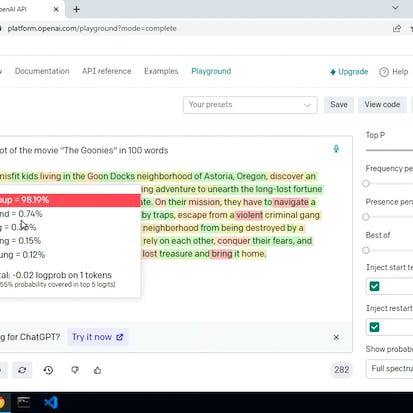
In this project you will programmatically prompt an OpenAI model using the OpenAI API, and utilize the AI to enrich data of an existing movie collection. You will use Python to prompt the davinci-003 OpenAI model based on JSON objects storing details of the user's movie collection. You will enrich the movie collection with data such as director, genre and year of release, as well as dynamically generating the movie plots, through the OpenAI model. You will also learn how to calibrate the model response using the temperature parameter.
Buy Now Free
- Level Beginner
- المدة 3 ساعات hours
- الطبع بواسطة Coursera
-
Offered by
عن
In this project you will programmatically prompt an OpenAI model using the OpenAI API, and utilize the AI to enrich data of an existing movie collection. You will use Python to prompt the davinci-003 OpenAI model based on JSON objects storing details of the user's movie collection. You will enrich the movie collection with data such as director, genre and year of release, as well as dynamically generating the movie plots, through the OpenAI model. You will also learn how to calibrate the model response using the temperature parameter. Learners in this project will create a dynamic AI-driven data enrichment and content generation system for a movie database web app. This project will help developers to implement OpenAI in their projects, using the AI model beyond ChatGPT, generating content or enriching data using an AI model. The prerequisites of this project include fundamental knowledge of programming principles, particularly Python and JSON fundamentals. In the course of the project you will create an OpenAI account and use API credits. Any new account will allow 5 US Dollars worth of free credit, which is more than enough to complete the project. PLEASE NOTE: if you already have an OpenAI account and are unable to avail of the free credit, you may incur costs for using OpenAI API.الوحدات
Your Learning Journey
-
2
Readings
-
1
Plugin
-
1
Lab
-
1
Assignment
1
Assignment
- Assess Your Knowledge
1
Labs
- Open AI for Beginners: Programmatic Prompting
2
Readings
- Project Overview
- Key Takeaways
Auto Summary
"Open AI for Beginners: Programmatic Prompting" is a Coursera course designed for those looking to dive into AI-driven content generation using Python and the OpenAI API. The course focuses on enriching a movie collection database with detailed information such as director, genre, and dynamic plots. Taught over 180 minutes, it covers programmatic prompting, model calibration, and practical implementation. Ideal for beginners with basic Python and JSON knowledge, the course offers free access and includes API credits, making it an excellent starting point for developers.
Buy Now Free

- Level Beginner
- المدة 1 ساعات hours
-
Offered by
عن
Ce projet vous permet de découvrir la plateforme Mural, outil en ligne de Brainstorming et de travail à distance. Vous comprendrez les diverses fonctionnalités de la plateforme et serez capables d’organiser vos idées ou vos informations professionnelles. Vous aurez toutes les compétences de base pour utiliser Mural et organiser visuellement vos informations.Auto Summary
Discover the essentials of Mural, an innovative online tool for brainstorming and remote collaboration, with "Mural pour les débutants." This course, offered by Coursera, is designed for beginners eager to enhance their personal development skills. Over the span of a single hour, you will be introduced to the functionalities of Mural, empowering you to effectively engage in creative and collaborative activities from anywhere. Best of all, this beginner-friendly course is available for free, making it an accessible opportunity for anyone looking to improve their remote working capabilities. Perfect for those new to digital collaboration tools, this course is a stepping stone to mastering virtual teamwork.
Buy Now Free

- Level Beginner
- المدة 3 ساعات hours
-
Offered by
عن
Dans ce projet guidé d'une heure, vous apprendrez Comment Mise en route avec Ubuntu et ouverture d'un terminal et commande de base avec Ubuntu et création de dossiers et de fichiers et déplacer et manipuler des fichiers. A la fin de ce projet, vous pourrez travailler avec Ubuntu pour vos propres projets.Auto Summary
Discover the essentials of Ubuntu in this beginner-level course, "Mise en route avec Ubuntu," offered by Coursera. Over the span of 180 minutes, you'll learn how to navigate and use Ubuntu, open a terminal, execute basic commands, and manage files and directories. Ideal for those looking to enhance their personal development skills, this free guided project is conducted by an expert instructor, making it perfect for anyone new to Ubuntu.
Midjourney for Beginners: Craft an Exquisite Piece of AI Art
You have been commissioned to create an exciting piece of artwork for a trendy new vegan restaurant that is about to open its doors to the city. This project will take you through a comprehensive exploration of MidJourney, an AI tool for generating digital art. You will discover how to utilize the core features of MidJourney to conceptualize, refine, and upscale your artwork, all while mastering the creation of multiple versions of your piece.
Buy Now Free
- Level Beginner
- المدة 3 ساعات hours
- الطبع بواسطة Coursera
-
Offered by
عن
You have been commissioned to create an exciting piece of artwork for a trendy new vegan restaurant that is about to open its doors to the city. This project will take you through a comprehensive exploration of MidJourney, an AI tool for generating digital art. You will discover how to utilize the core features of MidJourney to conceptualize, refine, and upscale your artwork, all while mastering the creation of multiple versions of your piece. Learn to navigate the MidJourney ecosystem, effectively use permutation prompts to generate artwork variations, and apply the Remix Mode to fuse diverse concepts to develop your work. Dive into the commercial aspects of producing digital art by rendering your piece in multiple aspect ratios, ensuring it's ready for any display or application. This project is perfect for artists, AI enthusiasts, and creative minds who are excited about the intersection of art and technology. Note: This course works best for learners who are based in the North America region. We’re currently working on providing the same experience in other regions.الوحدات
Your Learning Journey
-
 7
Videos
7
Videos
-
2
Readings
-
1
Plugin
-
1
Lab
-
1
Assignment
1
Assignment
- Assess Your Knowledge
1
Labs
- [Optional] Access Your GPT GenAI Playground
7
Videos
- Set up Discord and join Midjourney's Server
- Generate initial AI artwork for restaurant
- Apply advanced features to enhance artwork
- Practise Activity
- Prepare artwork for commercial setting
- Save Images in Different Aspect Ratios
- Cumulative Activity
2
Readings
- Project Overview
- [Optional] The GPT Generative AI Lab Playground
Auto Summary
Discover the exciting world of AI art with "Midjourney for Beginners: Craft an Exquisite Piece of AI Art." This beginner-level course focuses on using MidJourney to create stunning digital artwork, perfect for artists, AI enthusiasts, and creative minds. Guided by expert instructors from Coursera, you'll learn to conceptualize, refine, and upscale your art, generate variations, and explore Remix Mode. The course spans 180 minutes and is available for free, making it an accessible and comprehensive introduction to the fusion of art and technology.
Buy Now Free
- Level Intermediate
- المدة 3 ساعات hours
-
Offered by
عن
Dans ce cours de 2 heures, basé sur un projet, vous découvrirez comment utiliser Portainer pour gérer des conteneurs Docker plus facilement et graphiquement. A la fin de ce projet guidé, vous serez en mesure de: - Comprendre le fonctionnement de Portainer et son utilité - Créer et manipuler des volumes Docker via Portainer - Créer et manipuler des réseaux Docker via Portainer - Créer et manipuler des images Docker via Portainer - Créer et manipuler des conteneurs Docker via Portainer - Créer et manipuler des stacks Docker-compose via Portainer - Gérer les templates d'applications dans Portainer - Administrer Portainer Ce projet guidé est recommandé aux débutants n'ayant pas des connaissances avancées sur Docker mais souhaitant tester facilement et rapidement des applications ou configurations dans des environnements conteneurisés. Il vous donnera une compréhension et une prise en main suffisante de cet outil pour son usage dans le cadre de la gestion de conteneurs Docker. Des connaissances préalables de base de Docker et du Yaml sont recommandées pour profiter au maximum de ce projet guidé.Auto Summary
Explore Docker container management with the 2-hour project-based course, "Manipuler des conteneurs Docker graphiquement avec Portainer." Ideal for beginners with basic Docker and Yaml knowledge, this intermediate-level course covers creating and managing Docker volumes, networks, images, containers, and stacks using Portainer. Offered by Coursera, it's free to enroll and perfect for those looking to simplify Docker management graphically.
Crear un Informe Financiero con Microsoft Excel
Al final de este proyecto, podrá completar un informe financiero con Microsoft Excel, compuesto por una página de transacciones, un estado de pérdidas y ganancias y un balance general. Aprenderá cómo ingresar sus transacciones comerciales e interpretar los datos presentados en el estado de pérdidas y ganancias. También aprenderá sobre los componentes de un balance general y comprenderá mejor cómo se puede utilizar un informe financiero para ayudar a rastrear y presentar la información financiera de su empresa.
Buy Now Free

- Level Intermediate
- المدة 4 ساعات hours
- الطبع بواسطة Coursera Project Network
-
Offered by
عن
Al final de este proyecto, podrá completar un informe financiero con Microsoft Excel, compuesto por una página de transacciones, un estado de pérdidas y ganancias y un balance general. Aprenderá cómo ingresar sus transacciones comerciales e interpretar los datos presentados en el estado de pérdidas y ganancias. También aprenderá sobre los componentes de un balance general y comprenderá mejor cómo se puede utilizar un informe financiero para ayudar a rastrear y presentar la información financiera de su empresa.الوحدات
Su viaje de aprendizaje
-
1
Readings
-
1
Plugin
-
1
Lab
-
1
Assignment
1
Assignment
- Borrador de comprensión de prueba del proyecto
1
Labs
- Crear un Informe Financiero con Microsoft Excel
1
Readings
- Descripción general del curso basado en un proyecto
Auto Summary
Enhance your financial reporting skills with "Crear un Informe Financiero con Microsoft Excel." This intermediate-level course, offered by Coursera, guides you through completing a financial report comprising transaction pages, profit and loss statements, and balance sheets. Gain expertise in entering commercial transactions, interpreting financial data, and understanding balance sheet components. Perfect for professionals looking to improve their financial tracking and presentation abilities. The course is free and takes 240 minutes to complete, making it an efficient and valuable learning experience.