

Collaborating with G Suite Apps
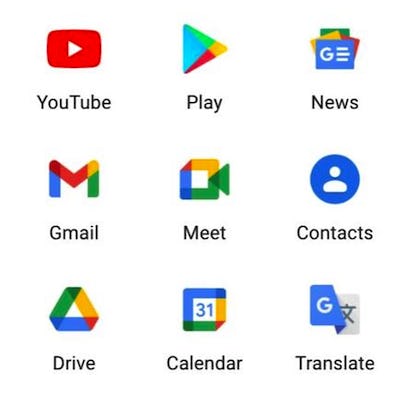
In this guided project, learners will learn how to collaborate using different, free G-Suite Apps, including Gmail, Google Forms, Google Calendar, a shared Google Drive, and how to work on shared documents (Docs, Sheets, Slides, etc.). This project also includes a basic overview of all of the above mentioned apps, as well as instructions on how to use these apps to facilitate collaborative projects. Note: This course works best for learners who are based in the North America region. We’re currently working on providing the same experience in other regions.
Buy Now Free
- Level Foundation
- المدة 4 ساعات hours
- الطبع بواسطة Coursera Project Network
-
Offered by

عن
In this guided project, learners will learn how to collaborate using different, free G-Suite Apps, including Gmail, Google Forms, Google Calendar, a shared Google Drive, and how to work on shared documents (Docs, Sheets, Slides, etc.). This project also includes a basic overview of all of the above mentioned apps, as well as instructions on how to use these apps to facilitate collaborative projects. Note: This course works best for learners who are based in the North America region. We’re currently working on providing the same experience in other regions.الوحدات
Collaborating Using G Suite Apps
-
 1
Readings
1
Readings
-
 1
Plugin
1
Plugin
-
 1
Lab
1
Lab
-
 1
Assignment
1
Assignment
 1
Assignment
1
Assignment
- Graded Quiz: Test your Project understanding
 1
Labs
1
Labs
- Collaborating with G Suite Apps
1
Readings
- Project-based Course Overview
Auto Summary
"Collaborating with G Suite Apps" is a foundational course offered by Coursera, focusing on enhancing collaboration using free G-Suite Apps like Gmail, Google Forms, Google Calendar, and Google Drive. Over 120 minutes, learners will gain a basic overview and practical skills for using these tools to facilitate collaborative projects. Ideal for personal development, this course is best suited for learners in North America, with future expansions planned. Available under the Starter subscription, it's perfect for those looking to improve their teamwork and efficiency using G-Suite Apps.

Improving Classroom Management with Class Dojo
By the end of this project, you will have set up your own classroom and be fully confident in how to use Class Dojo. Teachers have a lot of demands on their time as they are pulled in many different directions. What if we had a tool that could help build a positive classroom community while also simplifying our records AND connecting with parents? Class Dojo is exactly that tool. During this project, you will use Class Dojo to connect with students and parents to create a positive classroom culture, give students a voice, and share meaningful moments with parents.
Buy Now Free
- Level Foundation
- المدة 3 ساعات hours
- الطبع بواسطة Coursera
-
Offered by
عن
By the end of this project, you will have set up your own classroom and be fully confident in how to use Class Dojo. Teachers have a lot of demands on their time as they are pulled in many different directions. What if we had a tool that could help build a positive classroom community while also simplifying our records AND connecting with parents? Class Dojo is exactly that tool. During this project, you will use Class Dojo to connect with students and parents to create a positive classroom culture, give students a voice, and share meaningful moments with parents. Class Dojo allows teachers to provide students with feedback in real time, track attendance and student behavior, connect with parents, and much more. *You will need a free Class Dojo account for this project.الوحدات
Practical Application via Rhyme
-
1
Readings
-
1
Plugin
-
1
Lab
-
1
Assignment
1
Assignment
- Graded Quiz: Improving Classroom Management with Class Dojo
1
Labs
- Improving Classroom Management with Class Dojo
1
Readings
- Project-based Course Overview
Auto Summary
"Improving Classroom Management with Class Dojo" is designed for teachers seeking to enhance their classroom environment. Led by Coursera, this beginner-level course spans 180 minutes and focuses on using Class Dojo to build a positive classroom community, streamline records, and engage with parents. Ideal for educators, the course is free and equips you with practical skills to manage your classroom effectively using real-time feedback, attendance tracking, and behavior monitoring. A free Class Dojo account is required to participate.
How to create and join teams using Canva
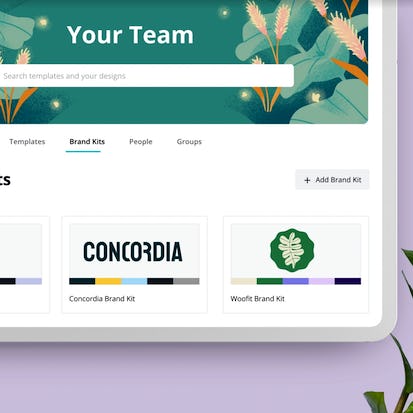
In this tutorial you will learn how to create and join teams using Canva. Note: This tutorial works best for learners who are based in the North America region. We're currently working on providing the same experience in other regions.
Buy Now Free
- Level Foundation
- المدة 3 ساعات hours
- الطبع بواسطة Coursera Project Network
-
Offered by
عن
In this tutorial you will learn how to create and join teams using Canva. Note: This tutorial works best for learners who are based in the North America region. We're currently working on providing the same experience in other regions.الوحدات
Your Learning Journey
-
1
Readings
-
1
Plugin
-
1
Lab
-
1
Assignment
1
Assignment
- Assess Your Knowledge
1
Labs
- How to create and join teams using Canva
1
Readings
- Project Overview
Auto Summary
Discover how to create and join teams using Canva in this beginner-level course designed for personal development. Guided by expert instructors on Coursera, this 180-minute tutorial is ideal for North American learners and is available for free. Perfect for those looking to enhance their collaborative design skills.
Test Accessibility of Your Design with WAVE
Wave is an online suite of tools that you can use to check the accessibility of a website against the Web Content Accessibility Guidelines (WCAG). In this project, you will learn about WCAG and how to use WAVE to ensure your web page is meeting the guidelines.
Buy Now Free

- Level Foundation
- المدة 3 ساعات hours
- الطبع بواسطة Coursera Project Network
-
Offered by
عن
Wave is an online suite of tools that you can use to check the accessibility of a website against the Web Content Accessibility Guidelines (WCAG). In this project, you will learn about WCAG and how to use WAVE to ensure your web page is meeting the guidelines.الوحدات
Your Learning Journey
-
1
Readings
-
1
Plugin
-
1
Lab
-
1
Assignment
1
Assignment
- Assess Your Knowledge
1
Labs
- Test Accessibility of Your Design with WAVE
1
Readings
- Project Overview
Auto Summary
Discover how to ensure your web designs meet the Web Content Accessibility Guidelines (WCAG) using WAVE, an online accessibility tool. This foundational course, offered by Coursera, is perfect for anyone interested in personal development. In just one hour, you'll gain essential skills to enhance web accessibility. Ideal for beginners, the course is available with a Starter subscription.
Buy Now Free
- Level Expert
- المدة 3 ساعات hours
-
Offered by
عن
By the end of this project, you will create multiple unique logos which may be used to appear on swag bag inserts to market your business. You will be able to incorporate a color scheme, images, and other design elements for aesthetically pleasing and value added business marketing collateral. This course will include intermediate to advanced level skills using the free version of Canva. You will create logos for a variety of items that are used as swag bag inserts. Creating clean, minimal logos for use on high quality marketing materials is the perfect way to introduce yourself to potential new clients or customers in order to increase business. Note: This course works best for learners who are based in the North America region. We’re currently working on providing the same experience in other regions.Auto Summary
Boost your business marketing skills with "Create Swag Bag Inserts to Market your Business using Canva" on Coursera. This intermediate-level course, lasting 180 minutes, guides you through designing unique logos for swag bag inserts. Ideal for personal development, it's free to enroll and perfect for entrepreneurs and marketers looking to enhance their branding strategies.

American History Through Baseball
This specialization is intended for those interested in sports marketing, sports administration, the MLB, and American culture & globalization. It is highly beneficial to those interested in American history and fans of baseball. Throughout the four courses, learners will track American history and baseball history side-by-side.
Monthly Subscription Starting at AED 99 + VAT

- Level Foundation
- المدة
- الطبع بواسطة University of Colorado Boulder
-
Offered by
عن
This specialization is intended for those interested in sports marketing, sports administration, the MLB, and American culture & globalization. It is highly beneficial to those interested in American history and fans of baseball. Throughout the four courses, learners will track American history and baseball history side-by-side.Auto Summary
Discover American history through the lens of baseball with this Coursera course. Perfect for sports marketing enthusiasts, MLB fans, and history buffs, this foundational specialization explores the intersection of baseball and American culture over four engaging courses. Available with Starter and Professional subscriptions.

Sampling People, Networks and Records
Good data collection is built on good samples. But the samples can be chosen in many ways. Samples can be haphazard or convenient selections of persons, or records, or networks, or other units, but one questions the quality of such samples, especially what these selection methods mean for drawing good conclusions about a population after data collection and analysis is done. Samples can be more carefully selected based on a researcher’s judgment, but one then questions whether that judgment can be biased by personal factors.
Monthly Subscription Starting at AED 99 + VAT

- Level Foundation
- المدة 26 ساعات hours
- الطبع بواسطة University of Michigan
-
Offered by
عن
Good data collection is built on good samples. But the samples can be chosen in many ways. Samples can be haphazard or convenient selections of persons, or records, or networks, or other units, but one questions the quality of such samples, especially what these selection methods mean for drawing good conclusions about a population after data collection and analysis is done. Samples can be more carefully selected based on a researcher’s judgment, but one then questions whether that judgment can be biased by personal factors. Samples can also be draw in statistically rigorous and careful ways, using random selection and control methods to provide sound representation and cost control. It is these last kinds of samples that will be discussed in this course. We will examine simple random sampling that can be used for sampling persons or records, cluster sampling that can be used to sample groups of persons or records or networks, stratification which can be applied to simple random and cluster samples, systematic selection, and stratified multistage samples. The course concludes with a brief overview of how to estimate and summarize the uncertainty of randomized sampling.الوحدات
We're glad you decided to join us!
-
 1
Videos
1
Videos
-
3
Readings
1
Videos
- 1.0 - Course Introduction
3
Readings
- Help us learn more about you!
- How to get your questions answered by the instructor in the discussion forums!
- Lecture notes
1.1 Ever heard of the three R's of research design?
-
2
Videos
-
1
Readings
2
Videos
- 1.1 - Research Design and Sampling - Part 1
- 1.1 - Research Design and Sampling - Part 2
1
Readings
- Lecture notes
1.2 How do surveys and sampling fit together?
-
1
Videos
-
1
Readings
1
Videos
- 1.2 - Surveys and Sampling
1
Readings
- Lecture notes
1.3 What does sampling have to do with research?
-
2
Videos
-
1
Readings
2
Videos
- 1.3 - Why Sample At All? - Part 1
- 1.3 - Why Sample At All? - Part 2
1
Readings
- Lecture notes for both videos
1.4 Why randomize?
-
1
Videos
-
1
Readings
1
Videos
- 1.4 - Why Might We Randomize, and How Might We Do It?
1
Readings
- Lecture notes
1.5 What happens when we randomize?
-
1
Videos
-
1
Readings
1
Videos
- 1.5 - What Happens When We Randomize?
1
Readings
- Lecture notes
1.6 How do we evaluate how good the sample is?
-
1
Videos
-
1
Readings
1
Videos
- 1.6 - How Do We Evaluate How Good a Sample Is?
1
Readings
- Lecture notes
1.7 What kinds of things can we sample?
-
1
Videos
-
1
Readings
1
Videos
- 1.7 - What Kinds of Things Can We Sample?
1
Readings
- Lecture notes
2.1 Simple Random Sampling
-
1
Videos
-
1
Readings
1
Videos
- 2.1 - Simple Random Sampling (SRS)
1
Readings
- Lecture notes
2.2 A short history
-
1
Videos
-
1
Readings
1
Videos
- 2.2 - Mere Randomization: A Short History
1
Readings
- Lecture notes
2.3 SRS sampling distributions
-
2
Videos
-
1
Readings
2
Videos
- 2.3 - The SRS Sampling Distribution - Part 1
- 2.3 - The SRS Sampling Distribution - Part 2
1
Readings
- Lecture notes
2.4 Sample size
-
1
Videos
-
1
Readings
1
Videos
- 2.4 - Sample Size
1
Readings
- Lecture notes
2.5 Margin of error
-
1
Videos
-
1
Readings
1
Videos
- 2.5 - Margin of Error
1
Readings
- Lecture notes
2.6 Sample and population size
-
1
Videos
-
1
Readings
1
Videos
- 2.6 - Sample Size and Population Size
1
Readings
- Lecture notes
Week 2: Assessments
-
1
Readings
-
1
PeerReview
-
1
Assignment
1
Assignment
- Week 2
1
Peer Review
- Random Sample of Faculty
1
Readings
- Notice for Auditing Learners: Assignment Submission
3.1 Simple complex sampling -- choosing entire clusters
-
2
Videos
-
1
Readings
2
Videos
- 3.1 - Simple Complex Sampling - Choosing Entire Clusters - Part 1
- 3.1 - Simple Complex Sampling - Choosing Entire Clusters - Part 2
1
Readings
- Lecture notes
3.2 Design effects
-
2
Videos
-
1
Readings
2
Videos
- 3.2 - Design Effects and Intraclass Correlation - Part 1
- 3.2 - Design Effects and Intraclass Correlation - Part 2
1
Readings
- Lecture notes
3.3 Two-stage cluster sampling
-
1
Videos
-
1
Readings
1
Videos
- 3.3 - Two-Stage Sampling
1
Readings
- Lecture notes
3.4 Designing 2-stage samples
-
2
Videos
-
1
Readings
2
Videos
- 3.4 - Designing for Two-Stage Sampling - Part 1
- 3.4 - Designing for Two-Stage Sampling - Part 2
1
Readings
- Lecture notes
3.5 Unequal sized clusters
-
2
Videos
-
1
Readings
2
Videos
- 3.5 - Dealing With the Real World - Unequal Sized Clusters - Part 1
- 3.5 - Dealing With the Real World - Unequal Sized Clusters - Part 2
1
Readings
- Lecture notes
3.6 Subsample size
-
1
Videos
-
1
Readings
1
Videos
- 3.6 - Sampling Fraction
1
Readings
- Lecture notes
Week 3: Assessments
-
1
PeerReview
-
1
Assignment
1
Assignment
- Week 3
1
Peer Review
- Sampling Schools
4.1 Using auxiliary data to be more efficient
-
1
Videos
-
1
Readings
1
Videos
- 4.1 - Forming Groups
1
Readings
- Lecture notes
4.2 Sampling variances for stratified samples
-
1
Videos
-
1
Readings
1
Videos
- 4.2 - Sampling Variance
1
Readings
- Lecture notes
4.3 More on grouping
-
1
Videos
-
1
Readings
1
Videos
- 4.3 - More On Grouping
1
Readings
- Lecture notes
4.4 Allocation sample to strata: proportionate allocation
-
1
Videos
-
1
Readings
1
Videos
- 4.4 - Allocate Sample
1
Readings
- Lecture notes
4.5 Other allocations
-
1
Videos
-
1
Readings
1
Videos
- 4.5 - Other Allocations
1
Readings
- Lecture notes
4.6 Stratum or element weights?
-
1
Videos
-
1
Readings
1
Videos
- 4.6 - Weights to Combine Across Strata
1
Readings
- Lecture notes
Week 4: Assessment
-
1
Assignment
1
Assignment
- Week 4
5.1 Systematic selection -- how it's done
-
1
Videos
-
1
Readings
1
Videos
- 5.1 - Systematic Selection
1
Readings
- Lecture notes
5.2 What happens if the “interval” is not an “interval?”
-
2
Videos
-
1
Readings
2
Videos
- 5.2 - Intervals With Fractions - Part 1
- 5.2 - Intervals With Fractions - Part 2
1
Readings
- Lecture notes
5.3 Systematic selection and implicit stratification
-
1
Videos
-
1
Readings
1
Videos
- 5.3 - List Order
1
Readings
- Lecture notes
5.4 How to estimate standard errors for systematic samples
-
1
Videos
-
1
Readings
1
Videos
- 5.4 - Uncertainty Estimation
1
Readings
- Lecture notes
Week 5 Assessments
-
1
PeerReview
1
Peer Review
- Credit Card Transactions
6.1 What about using statistical software to select samples?
-
1
Videos
-
1
Readings
1
Videos
- 6.1 - Statistical Software for Sample Selection
1
Readings
- Lecture notes
6.2 Combining stratification and clusters
-
1
Videos
-
1
Readings
1
Videos
- 6.2 - Stratified Multistage Sampling
1
Readings
- Lecture notes
6.3 Oversampling and weighting
-
1
Videos
-
1
Readings
1
Videos
- 6.3 - Weights for Over/Under Sampling
1
Readings
- Lecture notes
6.4 Nonresponse and weighting
-
1
Videos
-
1
Readings
1
Videos
- 6.4 - Nonresponse & Noncoverage Weighting
1
Readings
- Lecture notes
6.5 Network sampling
-
1
Videos
-
1
Readings
1
Videos
- 6.5 - Sampling Networks: Multiplicity Weighting
1
Readings
- Lecture notes
6.6 Non-probability sampling
-
1
Videos
-
2
Readings
1
Videos
- 6.6 - Non-Probability Sampling
2
Readings
- Lecture notes
- Annotated Bibliography of a Few Sampling Books
Week 6 Assessment
-
2
Readings
-
1
Assignment
1
Assignment
- Week 6 - Final Quiz
2
Readings
- Post-course Survey
- Keep Learning with Michigan Online
Auto Summary
"Sampling People, Networks and Records" is a foundational course in Personal Development offered by Coursera. This course, led by an expert instructor, delves into the art of selecting high-quality samples for data collection. It covers various sampling methods including simple random sampling, cluster sampling, stratification, and systematic selection. With a duration of 1560 minutes, it provides comprehensive insights into ensuring sound representation and cost control in research. Ideal for beginners, it also offers a brief overview of estimating and summarizing the uncertainty in randomized sampling. Available with a Starter subscription, this course is perfect for those looking to enhance their research skills.

Getting started with Google Workspace
This training equips students with the skills they need to become productive with Google Workspace.
Monthly Subscription Starting at AED 99 + VAT

- Level Foundation
- المدة
- الطبع بواسطة Google Cloud
-
Offered by
عن
This training equips students with the skills they need to become productive with Google Workspace. By the end of this Specialization, the student will be proficient in the use of the core Google Workspace applications: Gmail, Google Calendar, Google Drive, Google Docs, Google Sheets, Google Slides, Google Meet and Google Chat. They will learn how to manage mail and schedules effectively; create, manage and share content in Google Drive, and become more productive through the use of the collaboration features that are an integral and defining part of Google Workspace. It is recommended that students engage with this content using a Chromebook, Windows, or Mac OS computer with Google Chrome installed, plus a managed Google Workspace account.Auto Summary
"Getting Started with Google Workspace" is designed to empower learners with the essential skills needed to efficiently use the core applications within Google Workspace. Perfect for individuals aiming to boost their productivity, this foundational course covers Gmail, Google Calendar, Google Drive, Google Docs, Google Sheets, Google Slides, Google Meet, and Google Chat. Throughout this training, participants will master managing emails and schedules, creating and sharing content on Google Drive, and leveraging the powerful collaboration features inherent to Google Workspace. The course is tailored for those using Chromebooks, Windows, or Mac OS computers equipped with Google Chrome, and a managed Google Workspace account is recommended for the most effective learning experience. Offered by Coursera, this course is ideal for anyone starting out with Google Workspace and seeking to enhance their personal development skills. The subscription to access this course is available under the Starter plan, ensuring accessible entry for all aspiring learners.

Medical Terminology
This specialization is intended for anybody that is interested in developing skills in medical language or preparing for further studies in the medical field. Learners will be able to identify common prefixes, suffixes, roots and abbreviations so they can recognize most medical terms used by medical professionals. Learners will also have an understanding of the structure of an electronic health record and extract vital information from it. Moreover, learners will gain basic knowledge of the anatomy and diagnoses related to all 10 main organ systems.
Monthly Subscription Starting at AED 99 + VAT

- Level Foundation
- المدة
- الطبع بواسطة Rice University
-
Offered by
عن
This specialization is intended for anybody that is interested in developing skills in medical language or preparing for further studies in the medical field. Learners will be able to identify common prefixes, suffixes, roots and abbreviations so they can recognize most medical terms used by medical professionals. Learners will also have an understanding of the structure of an electronic health record and extract vital information from it. Moreover, learners will gain basic knowledge of the anatomy and diagnoses related to all 10 main organ systems.Auto Summary
The "Medical Terminology" course, offered through Coursera, is an excellent opportunity for anyone looking to build a strong foundation in medical language. Whether you are preparing for future medical studies or simply want to enhance your understanding of healthcare terminology, this course is designed for you. It focuses on enabling learners to identify common prefixes, suffixes, roots, and abbreviations, allowing them to recognize most terms used by medical professionals. Participants will also learn to navigate and extract vital information from electronic health records, gaining valuable insights into the structure and content of these essential documents. Additionally, the course provides basic knowledge of anatomy and diagnoses related to the main organ systems, ensuring a well-rounded introduction to the medical field. This foundational level course is part of Coursera's subscription-based offerings, accessible via the Starter plan. It is ideal for those interested in personal development within the healthcare domain, catering to beginners who seek to establish a solid understanding of medical terminology.
Buy Now Free
- Level Foundation
- المدة 4 ساعات hours
-
Offered by
عن
By the end of this project, learners will be able to choose a method for illustrating data. They will learn about different types of graphs and which type of graph is best suited to the type of information you want to share. Tableau is a great tool to use if you have plans to display data for making business decisions.Auto Summary
This beginner-level Coursera course focuses on helping learners select the best methods for illustrating data. Over a duration of 240 minutes, participants will develop skills in data visualization. The course is free and ideal for those interested in personal development and enhancing their data presentation abilities.