

Buy Now Free

- Level Professional
- المدة 3 ساعات hours
-
Offered by

عن
By the end of this course you will have a solid grasp of state management fundamentals in React applications using the setState() utility in class components. We will start by focusing on the core concepts of state management reinforced by code examples which start off simple to drill the concepts, then we will go deeper into understanding the asynchronous nature of the setState() method, and how we can work with this to achieve what we want. This course is aimed at developers who are familiar with React and state management in general, understand the basics well, and would like to have some more experience, especially using some of the more advanced and dynamic development patterns in React.Auto Summary
Master state management in React class components with this intermediate-level course on Coursera. Over 180 minutes, you will gain a solid understanding of using the setState() utility. Ideal for personal development, this course is available for free.

Creating Engaging Presentations with Mentimeter
By the end of this project, you will be able to use Mentimeter to create live polls, quizzes and more in order to check for student understanding. Whether you are teaching online or in person, Mentimeter has the tools you need to engage and assess your class. Once you are confident with using Mentimeter, you will be able to train your students as well. This will create greater independence and mastery of technology that will allow your students to share their learning in new ways. *You will need a free trial of Mentimeter for this project.
Buy Now Free
- Level Foundation
- المدة 3 ساعات hours
- الطبع بواسطة Coursera
-
Offered by
عن
By the end of this project, you will be able to use Mentimeter to create live polls, quizzes and more in order to check for student understanding. Whether you are teaching online or in person, Mentimeter has the tools you need to engage and assess your class. Once you are confident with using Mentimeter, you will be able to train your students as well. This will create greater independence and mastery of technology that will allow your students to share their learning in new ways. *You will need a free trial of Mentimeter for this project.الوحدات
Practical Application via Rhyme
-
 1
Readings
1
Readings
-
 1
Plugin
1
Plugin
-
 1
Lab
1
Lab
-
 1
Assignment
1
Assignment
 1
Assignment
1
Assignment
- Graded Quiz: Creating Engaging Presentations with Mentimeter
 1
Labs
1
Labs
- Creating Engaging Presentations with Mentimeter
1
Readings
- Creating Engaging Presentations with Mentimeter
Auto Summary
"Creating Engaging Presentations with Mentimeter" is a beginner-level course offered by Coursera, tailored for personal development. Led by an expert instructor, this 180-minute course teaches you to use Mentimeter for creating dynamic live polls and quizzes, enhancing both in-person and online teaching. By mastering these tools, you'll engage students more effectively and empower them to use technology independently. A free trial of Mentimeter is required. Ideal for educators looking to boost classroom interaction and student assessment.
Buy Now Free

- Level Professional
- المدة 3 ساعات hours
-
Offered by
عن
By the end of this project you will have used LibreOffice to create a variety of reports for displaying data that originates in relational tables. A report provides a way for users to view only the data they need, and in the format that makes data analysis most effective. Note: This course works best for learners who are based in the North America region. We’re currently working on providing the same experience in other regions.Auto Summary
"Generate a Report with LibreOffice Base" is an intermediate-level course focused on using LibreOffice to create various data reports from relational tables. Offered by Coursera, this 180-minute personal development course is accessible for free. Ideal for those looking to enhance their reporting skills with LibreOffice Base.

Learning Technologies Foundations and Applications
This course, Learning Technologies Foundations and Applications, is one of the two four-week MOOC courses that form part of Instructional Design MasterTrack Certificate. After completing the course, you will be able to: 1. Identify suitable learning technology applications for problem-solving tasks. 2. Evaluate learning technology solutions based on Cognitive Load Theory and related multimedia learning design models. 3. Justify the selection of learning technologies for solving organizational problems based on evidence and best practices.
Monthly Subscription Starting at AED 99 + VAT

- Level Foundation
- المدة 8 ساعات hours
- الطبع بواسطة University of Illinois Urbana-Champaign
-
Offered by
عن
This course, Learning Technologies Foundations and Applications, is one of the two four-week MOOC courses that form part of Instructional Design MasterTrack Certificate. After completing the course, you will be able to: 1. Identify suitable learning technology applications for problem-solving tasks. 2. Evaluate learning technology solutions based on Cognitive Load Theory and related multimedia learning design models. 3. Justify the selection of learning technologies for solving organizational problems based on evidence and best practices.الوحدات
About the Course
-
 1
Videos
1
Videos
-
2
Readings
-
2
Assignment
2
Assignment
- Orientation Quiz
- Demographics Survey
1
Videos
- Welcome to Learning Technologies Foundations and Applications!
2
Readings
- Syllabus
- About the Discussion Forums
About Your Classmates
-
1
Readings
-
1
Discussion
1
Discussions
- Getting to Know Your Classmates
1
Readings
- Updating Your Profile
Module 1 Information
-
1
Readings
1
Readings
- Module 1 Readings and Resources
Lesson 1
-
3
Videos
-
1
Assignment
1
Assignment
- Module 1 Graded Quiz
3
Videos
- Course Overview and Introducing the Field, Part 1
- Course Overview and Introducing the Field, Part 2
- Role of Learning Technologies and Career Paths
Module 2 Information
-
1
Readings
1
Readings
- Module 2 Readings and Resources
Lesson 2-1
-
1
Videos
-
1
Assignment
1
Assignment
- Module 2-1 Graded Quiz
1
Videos
- From the Perspective of Human Resource Development
Lesson 2-2
-
2
Videos
2
Videos
- Can Education Lead Technology? The PLATO Story
- What's the Use of Technology in Learning? Introducing Seven e-Affordances
Module 3 Information
-
1
Readings
1
Readings
- Module 3 Readings and Resources
Lesson 3-1
-
2
Videos
-
1
Assignment
1
Assignment
- Module 3-1 Graded Quiz
2
Videos
- Technology-Enriched and Enabled Learning Environments (TEELE) Overview
- Design Models for Learning Technology and E-Learning
Lesson 3-2
-
1
Videos
-
1
Assignment
1
Assignment
- Module 3-2 Graded Quiz
1
Videos
- Transactional Distance Theory
Lesson 3-3
-
1
Videos
-
1
Assignment
1
Assignment
- Module 3-3 Graded Quiz
1
Videos
- Assistive Technology and Universal Design
Lesson 3-4
-
1
Videos
-
1
Assignment
1
Assignment
- Module 3-4 Graded Quiz
1
Videos
- Senior Citizens and Learning Technologies
Module 4 Information
-
1
Videos
-
1
Readings
1
Videos
- Module 4 Overview: Cognitive Load Theory and Implications on E-Learning
1
Readings
- Module 4 Readings and Resources
Lesson 4-1
-
1
Videos
-
1
Assignment
1
Assignment
- Module 4-1 Graded Quiz
1
Videos
- Cognitive Load Theory
Lesson 4-2
-
1
Videos
-
1
Assignment
1
Assignment
- Module 4-2 Graded Quiz
1
Videos
- Findings Derived from Cognitive Load Theory
Lesson 4-3
-
1
Videos
-
1
Assignment
1
Assignment
- Module 4-3 Graded Quiz
1
Videos
- Four-Component/Instructional Design Model
Wrapping Up the Course
-
1
Discussion
-
1
Assignment
1
Assignment
- End of Course Survey
1
Discussions
- Final Reflections
Auto Summary
Explore "Learning Technologies Foundations and Applications" on Coursera, a four-week foundational course in Personal Development. Taught by experts, it focuses on identifying, evaluating, and justifying the use of learning technologies based on Cognitive Load Theory. Ideal for beginners, this course is part of the Instructional Design MasterTrack Certificate, with starter and professional subscription options. Perfect for those looking to enhance their instructional design skills and solve organizational problems with evidence-based practices.

Online teaching: Using Zoom to connect with learners
Using cloud-based video conferencing platforms such as Zoom has become, for many people, a part of everyday life. This is particularly true for learners of all ages who are now spending more time online connecting with their peers or studying remotely.
Monthly Subscription Starting at AED 99 + VAT

- Level Foundation
- المدة 17 ساعات hours
- الطبع بواسطة Macquarie University
-
Offered by
عن
Using cloud-based video conferencing platforms such as Zoom has become, for many people, a part of everyday life. This is particularly true for learners of all ages who are now spending more time online connecting with their peers or studying remotely. To ensure a successful learning experience for our online learners, educators and teachers need to feel confident designing and delivering a live Zoom class. In this course, you’ll explore the Zoom functions that are relevant to teaching a live online class, such as Zoom’s class management tools, break-out room function, chat, screen-sharing and the poll function. More importantly, this course will provide practical real-world examples of how to use these functions successfully in a live class setting, as well as provide an opportunity to design, develop and create your own Zoom lesson plan. The course is suitable for anyone who designs or delivers synchronous or live online Zoom classes. Learning Outcomes By the end of this course, you’ll: 1. Demonstrate an understanding of the basic functions of Zoom 2. Recognise the Zoom class management tools 3. Evaluate the ways Zoom can be used to deliver engaging live online class activities 4. Design, develop and create a Zoom lesson planالوحدات
Welcome to the course and critical information
-
1
Videos
-
4
Readings
-
1
Discussion
1
Discussions
- Introduce yourself and meet your fellow learners
1
Videos
- Welcome Online teaching: Using Zoom to connect with learners
4
Readings
- Welcome to Online teaching: Using Zoom to connect with learners
- Welcome to Country
- Course overview
- Important information about versions and regions
Week 1 - Overview
-
1
Videos
1
Videos
- Week 1 overview
Week 1 - Lesson
-
8
Videos
-
2
Readings
8
Videos
- Which Zoom plan is right for me?
- Zoom resources for training, professional development and support
- Where to find important Zoom account settings
- General Zoom Meeting controls
- Zoom video settings
- Zoom audio settings
- Setting up your Zoom background
- Podcast l Using Zoom to teach online
2
Readings
- Best Zoom Settings for Teachers
- Podcast l Subject matter expert - Professor Rebecca Mitchell
Week 1 - Practice
-
1
Readings
-
1
Assignment
1
Assignment
- Week 1 Recall quiz
1
Readings
- Week 1 Challenge exercise | Explore your Zoom profile
Week 1 - Additional learning resources
-
1
Readings
1
Readings
- Additional learning resources
Week 1 - Assessment
-
1
Assignment
1
Assignment
- Week 1 Graded quiz
Week 2 - Overview
-
1
Videos
1
Videos
- Week 2 overview
Week 2 - Lesson
-
5
Videos
-
2
Readings
5
Videos
- Scheduling a Zoom Meeting
- Setting controls for your Zoom class
- Zoom security and privacy
- Zoom practice part 1 - Starting a Zoom class
- Zoom practice part 2 - Navigating Zoom
2
Readings
- Best practices for securing your virtual classroom
- Podcast l This Teaching Life - What's our duty of care like for the students in this online learning environment? - Nonie May
Week 2 - Practice
-
1
Readings
-
1
Assignment
1
Assignment
- Week 2 Recall quiz
1
Readings
- Week 2 Challenge exercise | Host your own Zoom Meeting
Week 2 - Additional learning resources
-
1
Readings
1
Readings
- Additional learning resources
Week 2 - Assessment
-
1
Assignment
1
Assignment
- Week 2 Graded quiz
Week 3 - Overview
-
1
Videos
1
Videos
- Week 3 overview
Week 3 - Lesson
-
4
Videos
-
2
Readings
4
Videos
- Using polls
- Using breakout rooms
- Using the chat functionality
- Using screen sharing and annotations
2
Readings
- Nonverbal Overload: A Theoretical Argument for the Causes of Zoom Fatigue
- Podcast l Psychcast Series - Understanding Zoom fatigue and how to make videoconferencing less anxiety provoking - Geraldine Fauville
Week 3 - Practice
-
1
Readings
-
1
Assignment
1
Assignment
- Week 3 Recall quiz
1
Readings
- Week 3 Challenge exercise | Creating a Zoom checklist
Week 3 - Additional learning resources
-
1
Readings
1
Readings
- Additional learning resources
Week 3 - Assessment
-
1
Assignment
1
Assignment
- Week 3 Graded quiz
Week 4 - Overview
-
1
Videos
1
Videos
- Week 4 - overview
Week 4 - Lesson
-
4
Videos
-
2
Readings
4
Videos
- Using screen-sharing and annotations in the virtual classroom
- Using breakout rooms for online learning activities
- Podcast l Co-facilitating on Zoom Part 1
- Podcast l Co-facilitating on Zoom Part 2
2
Readings
- Using Breakout Rooms with less stress and better results
- Podcast l Subject Matter Expert - Dr Karina Luzia and Fidel Fernando
Week 4 - Practice
-
1
Readings
-
1
Assignment
1
Assignment
- Week 4 Recall quiz
1
Readings
- Week 4 Challenge exercise | Break out rooms
Week 4 - Additional learning resources
-
1
Readings
1
Readings
- Additional learning resources
Week 4 - Assessment
-
1
Assignment
1
Assignment
- Week 4 Graded quiz
Week 5 - Overview
-
1
Videos
1
Videos
- Week 5 overview
Week 5 - Lesson
-
4
Videos
-
3
Readings
4
Videos
- Zoom lessons with 3rd party applications - Part 1
- Zoom lessons with 3rd party applications - Part 2
- Virtual Classroom Case Study | Zoom lesson planning - Part 1
- Virtual Classroom Case Study | Zoom lesson planning - Part 2
3
Readings
- Zoom Tips, Lesson Planning Template and Sample
- 25 Ways to engage students in your next Zoom class
- Podcast l Tales of Teaching Online - Sparking interaction and engagement on Zoom and social media - Emily Wade
Week 5 - Practice
-
1
Readings
-
1
Assignment
1
Assignment
- Week 5 Recall quiz
1
Readings
- Week 5 Challenge exercise l Create your own Zoom lesson plan
Week 5 - Additional learning resources
-
2
Readings
2
Readings
- Additional learning resources
- End of course feedback form
Week 5 - Assessment
-
1
Assignment
1
Assignment
- Week 5 Graded quiz
Auto Summary
Enhance your online teaching skills with our "Using Zoom to Connect with Learners" course. Focused on personal development, this foundational course by Coursera guides educators through essential Zoom functions like class management, break-out rooms, chat, screen-sharing, and polls. Gain practical insights and create your own Zoom lesson plans over 1020 minutes. Suitable for anyone delivering live online classes, it offers Starter and Professional subscription options. Join now to confidently design and deliver engaging Zoom classes!
Buy Now Free
- Level Professional
- المدة 3 ساعات hours
-
Offered by
عن
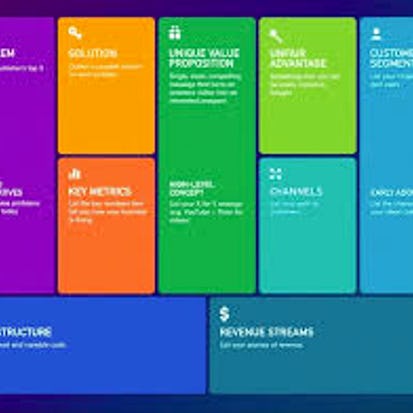
By the end of this guided project, you will be able to use the Lean Canvas to test your startup business model hypothesis, and validate the key assumptions. The Lean Canvas serves as a tactical planning tool to guide entrepreneurs in navigating their way from ideation to building a successful business. The Lean Canvas is created especially for entrepreneurs to make it easier for the founders to work their way around the most critical aspects of starting a business. These steps range from identifying the customers and their problems, to designing a unique value propulsion that focuses on the solution; from there to mapping out channels to reach the customers, to pinpointing key performance metrics; then to analyzing the revenue streams and cost structure; and finally, to striving for unfair advantage. For us to practically demonstrate how the model works, we will use a spreadsheet to analyze a startup Social Venture. Examples from the case study would empower you to use the model to analyze your startup idea or any other company of your choice. Lean Canvas is entrepreneur-focused, but equally useful for everyone involved in introducing a new product or idea to the market. At the end of the project, you will be able to use the Lean Canvas to brainstorm possible business models, prioritize where to start, and track ongoing learning.Auto Summary
Learn to validate your startup business model with "How to Use the Lean Canvas to Validate Your Business Model." This professional-level course by Coursera focuses on using the Lean Canvas as a tactical planning tool. Ideal for entrepreneurs and innovators, it covers crucial steps from customer identification to revenue analysis. The 120-minute guided project includes practical spreadsheet analysis of a Social Venture case study. Available with a Starter subscription, it empowers you to brainstorm, prioritize, and track your business model effectively.
Align Design Teams with SCAMPER Brainstorming in Miro
By the end of this project, you will be able to use SCAMPER brainstorming strategies to enhance product and service development by efficiently moving your team to the improvement and innovation stages of user experience and user interface design. To do this, you will gain hands-on experience applying SCAMPER brainstorming strategies and visualizing the results in the Miro online visual collaboration platform for teamwork. Note: This course works best for learners who are based in the North America region. We’re currently working on providing the same experience in other regions.
Buy Now Free

- Level Professional
- المدة 3 ساعات hours
- الطبع بواسطة Coursera
-
Offered by
عن
By the end of this project, you will be able to use SCAMPER brainstorming strategies to enhance product and service development by efficiently moving your team to the improvement and innovation stages of user experience and user interface design. To do this, you will gain hands-on experience applying SCAMPER brainstorming strategies and visualizing the results in the Miro online visual collaboration platform for teamwork. Note: This course works best for learners who are based in the North America region. We’re currently working on providing the same experience in other regions.الوحدات
Align Design Teams with SCAMPER Brainstorming in Miro
-
1
Readings
-
1
Discussion
-
1
Plugin
-
1
Lab
-
1
Assignment
1
Assignment
- Graded Quiz: Test your Project understanding
1
Discussions
- What is your favorite feature in Miro?
1
Labs
- Align Design Teams with SCAMPER Brainstorming in Miro Project
1
Readings
- Project Overview
Auto Summary
Enhance your team's product and service development with the SCAMPER brainstorming method in Miro. This intermediate-level course, led by Coursera, focuses on improving UX/UI design through hands-on experience and visual collaboration. Ideal for North American learners, it offers a free 180-minute session perfect for personal development.
Buy Now Free

- Level Professional
- المدة 3 ساعات hours
-
Offered by
عن
By the end of this project, you will use React with Express to build a Web Application that consumes JSON data from an existing Express API. Often, a dynamic web application consists of many different technologies and programming languages. Creating a web application with NodeJS, Express, and React allows the developer to use JavaScript throughout the stack with a focus on the logic rather than the language. Note: This course works best for learners who are based in the North America region. We’re currently working on providing the same experience in other regions.Auto Summary
Unlock the power of JavaScript by learning to build a dynamic web application using React and Express. Perfect for professional developers, this 120-minute course focuses on integrating React with an Express API to consume JSON data, enabling seamless, full-stack development. Offered by Coursera, this course is best suited for learners in North America, with a Starter subscription available. Join now to enhance your web development skills under expert guidance.
Monthly Subscription Starting at AED 99 + VAT
- Level Foundation
- المدة
- الطبع بواسطة W3Schools
-
Offered by
عن
What you'll learn- How to work with two important data structures in Pandas: Series and DataFrame, and how to perform basic operations on them.
- Use Pandas for common data manipulation and analysis tasks, such as filtering, grouping, computing summary statistics, and handling missing data.
- Basic data visualization tools in Pandas, such as line plots, scatter plots, and histograms, and how to customize them.
الوحدات
Pandas Getting Started
-
1
Plugin
Pandas Series
-
1
Plugin
Pandas Series - Exercises
-
1
Plugin
Pandas DataFrames
-
1
Plugin
Pandas Read CSV
-
1
Plugin
Pandas Read JSON
-
1
Plugin
Pandas Analyzing Data
-
1
Plugin
Pandas DataFrames - Exercises
-
1
Plugin
Pandas Cleaning Data
-
1
Plugin
Pandas Empty Cells
-
1
Plugin
Pandas Wrong Format
-
1
Plugin
Pandas Wrong Data
-
1
Plugin
Pandas Removing Duplicates
-
1
Plugin
Pandas Cleaning - Exercises
-
1
Plugin
Pandas Correlations
-
1
Plugin
Pandas Correlations - Exercises
-
1
Plugin
Pandas Plotting
-
1
Plugin
Pandas Plotting - Exercises
-
1
Plugin
Final Assessment Quiz
-
1
Assignment
1
Assignment
- Python Pandas Certification Exam

Sustainable Development in the 21st Century with Ban Ki-moon
The course is designed for people that want to learn about the latest development agenda the international community agreed to achieve by 2030. Structured around the five pillars of Agenda 2030 – people, prosperity, planet, peace and justice, and partnership, students will learn that these pillars are interconnected and need to be integrated in practical policy-making and operational activities for development, in both developed and developing country settings.
Monthly Subscription Starting at AED 99 + VAT

- Level Foundation
- المدة 16 ساعات hours
- الطبع بواسطة Yonsei University
-
Offered by
عن
The course is designed for people that want to learn about the latest development agenda the international community agreed to achieve by 2030. Structured around the five pillars of Agenda 2030 – people, prosperity, planet, peace and justice, and partnership, students will learn that these pillars are interconnected and need to be integrated in practical policy-making and operational activities for development, in both developed and developing country settings. Following an introductory module on the main concepts of Agenda 2030 and the SDGs, successive modules will provide the foundation behind the SDGs for people, prosperity and planet, peace and partnership. A final module will explore the way forward and provide channels that the young generation can participate to integrate the SDGs in the policy-making of the students’ resident countries. To get a better idea of our course, we welcome you to take a look at our promotional video: https://www.youtube.com/watch?v=KATSb73TeB4الوحدات
1.1 - Course Introduction with Mr. Ban Ki-moon
-
2
Videos
-
2
Readings
2
Videos
- Course Introduction
- Copy of Course Introduction
2
Readings
- Lesson Overview
- Guest Lecturer
1.2 - 2030 Agenda: Introduction
-
3
Videos
-
1
Readings
3
Videos
- Introduction
- What is the 2030 Development Agenda?
- From MDGs to SDGs
1
Readings
- Lesson Overview
1.3 - Who Decided on the SDGs?
-
2
Videos
-
1
Readings
2
Videos
- Who decided on the SDGs?
- Behind-the-Scenes Negotiations
1
Readings
- Lesson Overview
1.4 - What are the 17 SDGs? (From Professor Myongsei Sohn)
-
3
Videos
-
1
Readings
3
Videos
- What are the 17 SDGs?
- Key Characteristics of the SDGs
- How to remember the SDGs: The 5 Ps
1
Readings
- Lesson Overview
1.5 - 2030 Agenda for Sustainable Development: Summary
-
1
Videos
-
1
Readings
-
1
Discussion
-
1
Assignment
1
Assignment
- Week 1 Quiz
1
Discussions
- Which SDG applies to you?
1
Videos
- Summary
1
Readings
- Recommended Reading Materials
2.1 - People: An Introduction with Mr. Ban Ki-moon
-
1
Videos
-
2
Readings
1
Videos
- Introduction
2
Readings
- Lesson Overview
- Guest Lecturers
2.2 - Poverty with Ms. Susan Myers and Professor Shinki An, M.D.
-
3
Videos
-
1
Readings
3
Videos
- What is Poverty? Part I
- What is Poverty? Part II
- Is Poverty Increasing or Decreasing?
1
Readings
- Lesson Overview
2.3 - Poverty, Health & Hunger with Professor Shinki An, M.D.
-
3
Videos
-
1
Readings
3
Videos
- Extreme Poverty
- Interconnected Nature of Poverty
- Call to Action: Eradicating Extreme Poverty
1
Readings
- Lesson Overview
2.4 - Poverty & Education with Professor Hong Won Suh
-
2
Videos
-
1
Readings
2
Videos
- Poverty & Education Part I
- Poverty & Education Part II
1
Readings
- Lesson Overview
2.5 - Poverty & Gender Equality with Ms. Susan Myers
-
1
Videos
-
1
Readings
1
Videos
- Poverty & Gender Equality
1
Readings
- Lesson Overview
2.6 - Case Study: Reforming Health Care in Bahrain with H.E Dar. Mohammed Bin Abdulla Al Khalif
-
2
Videos
-
1
Readings
2
Videos
- Case Study: Reforming Health Care in Bahrain Part I
- Case Study: Reforming Health Care in Bahrain Part II
1
Readings
- Lesson Overview
2.7 - People: Summary
-
1
Videos
-
1
Readings
-
1
Discussion
-
1
Assignment
1
Assignment
- Week 2 Quiz
1
Discussions
- How to raise awareness and encourage dialogue?
1
Videos
- Summary
1
Readings
- Recommended Reading Materials
3.1 - Planet: An Introduction with Mr. Ban Ki-moon
-
1
Videos
-
2
Readings
1
Videos
- Introduction
2
Readings
- Lesson Overview
- Guest Lecturers
3.2 - Recycling is not an option, but a must! (from Professor Eungbin Kim)
-
1
Videos
-
1
Readings
1
Videos
- Recycling is not an option, but a must!
1
Readings
- Lesson Overview
3.3 - Biodiversity and Ecology
-
2
Videos
-
1
Readings
2
Videos
- Biodiversity
- Ecosystem Services and Commoner's Laws of Ecology
1
Readings
- Lesson Overview
3.4 - Climate Change & SDGs with Dr. Robert C. Orr
-
3
Videos
-
1
Readings
3
Videos
- Climate Change and its Global Effects
- Climate Change and the Paris Agreement Part I
- Climate Change and the Paris Agreement Part II
1
Readings
- Lesson Overview
3.5 - Climate Change: Mitigation and Adaption with Assist. Professor Semee Yoon
-
2
Videos
-
1
Readings
2
Videos
- Climate Change: Mitigation
- Climate Change: Adaptation
1
Readings
- Lesson Overview
3.6 - Planet: Summary
-
1
Videos
-
1
Readings
-
1
Discussion
-
1
Assignment
1
Assignment
- Week 3 Quiz
1
Discussions
- Agree or Disagree?
1
Videos
- Summary
1
Readings
- Recommended Reading Materials
4.1 - Prosperity: An Introduction with Mr. Ban Ki-moon
-
1
Videos
-
2
Readings
1
Videos
- Introduction
2
Readings
- Lesson Overview
- Guest Lecturers
4.2 - Green Jobs, Buildings, and Energy with Assist. Professor Taedong Lee
-
3
Videos
-
1
Readings
3
Videos
- Green Jobs
- Green Buildings
- Green Energy
1
Readings
- Lesson Overview
4.3 - Social Innovation with Professor Michael Kim
-
3
Videos
-
1
Readings
3
Videos
- Social Innovation and the SDG 2030 Agenda
- Social Innovation and Sustainable Development
- Social Innovation and Collective Impact
1
Readings
- Lesson Overview
4.4 - Prosperity: Summary
-
1
Videos
-
1
Readings
-
1
Discussion
-
1
Assignment
1
Assignment
- Week 4 Quiz
1
Discussions
- How would you apply it?
1
Videos
- Summary
1
Readings
- Recommended Reading Materials
5.1 - Peace & Partnership: An Introduction with Mr. Ban Ki-moon
-
1
Videos
-
2
Readings
1
Videos
- Introduction
2
Readings
- Lesson Overview
- Guest Lecturers
5.2 - Social Inclusion, Global Governance & Citizenship with Arrey Obenson, L.L.M.
-
2
Videos
-
1
Readings
2
Videos
- Peace through Social Inclusion
- Global Governance & Citizenship
1
Readings
- Lesson Overview
5.3 - Civil Empowerment with Dr. Heinz Fischer
-
2
Videos
-
1
Readings
2
Videos
- Foundation & Values of SDGs
- Partnerships for the Goals
1
Readings
- Lesson Overview
5.4 - Case Study: Civil Society Impact with Mr. Edwin H. Futa
-
2
Videos
-
1
Readings
2
Videos
- Case Study: Civil Society Impact Part I
- Case Study: Civil Society Impact Part II
1
Readings
- Lesson Overview
5.5 - Corporate Governance & Corporate Social Responsibility with Dr. Márcia Balisciano
-
2
Videos
-
1
Readings
2
Videos
- Corporate Governance
- Corporate Social Responsibility
1
Readings
- Lesson Overview
5.6 - Measuring Progress on Sustainable Development with Assist. Professor Semee Yoon
-
1
Videos
-
1
Readings
1
Videos
- Measuring Progress on Sustainable Development
1
Readings
- Lesson Overview
5.7 - Peace & Partnership: Summary
-
1
Videos
-
1
Readings
-
1
Discussion
-
1
Assignment
1
Assignment
- Week 5 Quiz
1
Discussions
- How could they be involved?
1
Videos
- Summary
1
Readings
- Recommended Reading Materials
6.1 - Youth & SDGs: An Introduction with Mr. Ban Ki-moon
-
1
Videos
-
2
Readings
1
Videos
- Introduction
2
Readings
- Lesson Overview
- Guest Lecturers
6.2 - Role of the University for Civic Engagement with Dr. Yong-Hak Kim
-
2
Videos
-
1
Readings
2
Videos
- Role of the University for Civic Engagement
- Education Case Study
1
Readings
- Lesson Overview
6.3 - Empowering Youth with Mr. Michael Sheldrick
-
4
Videos
-
1
Readings
4
Videos
- Humanitarian and Environmental Agendas Part I: The Tensions
- Humanitarian and Environmental Agendas Part II: Reconciliation
- Citizen-Led Accountability Part I
- Citizen-Led Accountability Part II
1
Readings
- Lesson Overview
6.4 - Lifelong Learning with Dr. Yong-Hak Kim
-
2
Videos
-
1
Readings
2
Videos
- Lifelong Learning
- Case Study: Lifelong Learning
1
Readings
- Lesson Overview
6.5 - World Bank: Empowering Young People from Ms. Jaehyang So
-
3
Videos
-
1
Readings
3
Videos
- World Bank: Empowering Young People
- World Bank: Case Study Part I
- World Bank: Case Study Part II
1
Readings
- Lesson Overview
6.6 - Youth & SDGs: Summary
-
1
Videos
-
1
Readings
-
1
Discussion
-
1
Assignment
1
Assignment
- Week 6 Quiz
1
Discussions
- What are your solutions?
1
Videos
- Summary
1
Readings
- Recommended Reading Materials
Final Project
-
1
PeerReview
1
Peer Review
- Final Project
Auto Summary
"Sustainable Development in the 21st Century with Ban Ki-moon" is designed for those eager to understand and implement the latest global development agenda by 2030. Focusing on the five interconnected pillars of Agenda 2030—people, prosperity, planet, peace, and justice, and partnership—this foundation-level course offers comprehensive insights into integrating these pillars into policy-making and development activities. With a duration of 960 minutes, learners can choose between Starter and Professional subscription options. Ideal for individuals passionate about sustainable development in both developed and developing contexts.