


Empathy for Self and Others
Empathy is something people must use every day. Empathy isn't limited to understanding other people; it's also about understanding yourself. An important key to understanding the emotions of others is understanding how you feel those emotions. Emotional intelligence and empathy aren't innate things that are fixed; they're skills that can be learned, and anyone has the potential to excel at them. This course will help you unlock that potential. With the expertise of Dr.
Monthly Subscription Starting at AED 99 + VAT

- Level Foundation
- المدة 6 ساعات hours
- الطبع بواسطة Arizona State University
-
Offered by

عن
Empathy is something people must use every day. Empathy isn't limited to understanding other people; it's also about understanding yourself. An important key to understanding the emotions of others is understanding how you feel those emotions. Emotional intelligence and empathy aren't innate things that are fixed; they're skills that can be learned, and anyone has the potential to excel at them. This course will help you unlock that potential. With the expertise of Dr. Shari Collins from the ASU School of Humanities, the Empathy for Self and Others course will put the tools, knowledge and strategies of empathy directly into your hands. You’ll learn the fundamentals and get acquainted with your empathy toolkit. Then, you’ll directly apply them in hands-on scenarios. A common misconception about empathy is that you have to have directly experienced the same thing as another person to empathize with them. Empathy is finding common ground and understanding others — it’s no more complex than that. It feels more important than ever to be able to understand others. Jump-start your empathy journey today!الوحدات
Welcome to Empathy for Self and Others!
-
 2
Readings
2
Readings
-
 3
Plugin
3
Plugin
2
Readings
- Welcome to Empathy for Self and Others!
- Check Your Knowledge
Listening with empathy
-
3
Readings
-
 1
Discussion
1
Discussion
-
 1
PeerReview
1
PeerReview
-
3
Plugin
1
Peer Review
- Apply the solution: Practice empathetic listening
1
Discussions
- Reflect on the solution: Listening with empathy
3
Readings
- Practice the solution: Listening with empathy
- Infographic: Steps for empathetic listening
- Simply listening to understand: Key takeaways
Expressing empathy in leadership
-
3
Readings
-
1
Discussion
-
1
PeerReview
-
3
Plugin
1
Peer Review
- Apply the solution: Practicing empathy
1
Discussions
- Reflect on the solution: Expressing empathy in leadership
3
Readings
- Practice the solution: Expressing empathy in leadership
- Infographic: Attributes of empathy
- Being the leaders they need: Key takeaways
Promoting a sense of self-empathy
-
3
Readings
-
1
Discussion
-
1
PeerReview
-
3
Plugin
1
Peer Review
- Apply the solution: Evaluate your self-empathy attributes
1
Discussions
- Reflect on the solution: Promoting a sense of self-empathy
3
Readings
- Practice the solution: Promoting a sense of self-empathy
- Infographic: Meditation steps
- Getting in touch with your feelings: Key takeaways
Course Conclusion
-
1
Readings
-
1
Plugin
1
Readings
- Final Thoughts
Auto Summary
Unlock your potential with "Empathy for Self and Others," a foundational personal development course led by Dr. Shari Collins from ASU School of Humanities. Over 360 minutes, you'll master empathy and emotional intelligence, learning tools and strategies to understand and connect with both yourself and others. Available on Coursera with Starter and Professional subscription options, this course is perfect for anyone looking to enhance their interpersonal skills. Jump-start your empathy journey today!

Computational Thinking for K-12 Educators: Sequences and Loops
How do we give instructions to a computer? Isn't programming hard? Not really! Whether it's giving someone directions to a nearby store or writing out some dance moves we frequently exhibit aspects of computational thinking in our everyday lives! This class teaches the first key concepts of programming -- sequences of instructions and basic counted repetition of instructions. For each concept, we'll start by helping you connect real-world experiences you are already familiar with to the programming concept you are about to learn.
Monthly Subscription Starting at AED 99 + VAT

- Level Foundation
- المدة 11 ساعات hours
- الطبع بواسطة University of California San Diego
-
Offered by
عن
How do we give instructions to a computer? Isn't programming hard? Not really! Whether it's giving someone directions to a nearby store or writing out some dance moves we frequently exhibit aspects of computational thinking in our everyday lives! This class teaches the first key concepts of programming -- sequences of instructions and basic counted repetition of instructions. For each concept, we'll start by helping you connect real-world experiences you are already familiar with to the programming concept you are about to learn. Next, through a cognitively scaffolded process we'll engage you in developing your fluency with problem solving with sequences and repeated instructions in a way that keeps frustration at a minimum. Along the way you will learn about the common challenges or "bugs" students have with these concepts as well as ways to help them find and fix those concepts. You'll also be guided in running classroom discussions to help students develop deeper understanding of these concepts. Finally, you'll learn about a recommended pedagogical practice, Pair Programming, and find out why research recommends teaching block-based programming first.الوحدات
Course Orientation
-
 2
Videos
2
Videos
-
1
Discussion
1
Discussions
- Meet your fellow learners!
2
Videos
- Welcome to the The Computational Thinking & Block Programming in K-12 Education Specialization
- Welcome!
Technology Prep
-
2
Readings
2
Readings
- Using Googledocs in this Course
- Why Snap? Create your account
Introduction to Computational Thinking
-
2
Videos
2
Videos
- What is computational thinking
- Computational Thinking Concepts
In My Life: Sequencing
-
2
Videos
-
1
Discussion
1
Discussions
- How to become a better computing teacher
2
Videos
- My Robotic Friends in Action
- My Robotic Friends: A CS Unplugged Activity
Interactive Puzzles: Sequencing
-
2
Videos
-
1
Readings
-
 1
Assignment
1
Assignment
1
Assignment
- Puzzle It Out
2
Videos
- What are interactive puzzles?
- How to do an interactive programming puzzle
1
Readings
- Interactive Puzzles Instructions: Sequences
Code Walkthrough: Sequencing
-
2
Videos
-
2
Readings
2
Videos
- Writing Programs: What's special for teachers?
- Debugging: Common Challenges for Sequences
2
Readings
- Vocabulary: Programming with Sequences
- Create a Sequences Program
Check Your Knowledge Puzzles: Sequencing
-
2
Videos
-
1
Readings
-
1
Assignment
1
Assignment
- Check your knowledge quiz
2
Videos
- More programming puzzles -- but different!
- (Optional) Demo: How to do Non-Interactive Puzzles
1
Readings
- Non-Interactive Programming Puzzles
Computational Thinking Development: Sequencing
-
4
Videos
-
 1
ExternalTool
1
ExternalTool
1
External Tool
- Collaborative Knowledge Construction: Sequencing
4
Videos
- Bloom's Taxonomy
- What is Bloom's Taxonomy Good For?
- Developing Computational Thinking
- Classroom Discussions: Sequences
Teacher Powerup: Sequence Lesson in Blockly from Code.org
-
3
Videos
-
1
Readings
3
Videos
- Teacher Powerup: Reinforcing + Gaining Curricular Experience
- Revisiting Unplugged My Robotic Friends Lesson Plan
- Did I get it?
1
Readings
- Unplugged Activities: Great for introducing concepts
Teacher Powerup on Code.org: Be The Student
-
3
Readings
-
1
Discussion
1
Discussions
- What was your thinking?
3
Readings
- Introducing the language Blockly -- for maze programs
- Make a prediction
- Experience a code.org lesson: sequences
Concept Mastery Quiz
-
1
Assignment
1
Assignment
- Concept Mastery Quiz: Computational Thinking & Sequences
In My Life: Repeats
-
1
Readings
-
1
Discussion
1
Discussions
- Where in the world are loops?
1
Readings
- Getting Loopy!
Interactive Puzzles: Repeats
-
1
Readings
-
1
Assignment
1
Assignment
- Puzzle It Out
1
Readings
- Interactive Puzzle Instructions: Repeats
Code Walkthrough: Repeats
-
1
Videos
-
1
Readings
1
Videos
- Debugging: Repeats
1
Readings
- Create a Repeats Program
Check Your Knowledge Puzzles: Repeats
-
1
Readings
-
1
Assignment
1
Assignment
- Check your knowledge quiz
1
Readings
- Non-Interactive Programming Puzzles
Computational Thinking Development: Repeats
-
1
Videos
-
1
ExternalTool
1
External Tool
- Collaborative Knowledge Construction: Repeats
1
Videos
- Classroom Discussions: Repeats
Teacher Powerup on Code.org: Be the Student
-
2
Readings
2
Readings
- Introduction to Repeat Loops
- Experience a code.org Artist/Drawing lesson: repeats
Concept Mastery Quiz & Learning Reflection
-
1
Discussion
-
1
Assignment
1
Assignment
- Concept Mastery Quiz: Repeats
1
Discussions
- What to remember about learning repeats?
Equity Champion
-
2
Videos
-
2
Readings
2
Videos
- The State of K-12 Computing Education
- What Do You Think?
2
Readings
- What have I gotten into? (Don't worry it's great!)
- What standards have we addressed so far?
Pedagogy Guru
-
2
Videos
2
Videos
- Why Teach with Block-Based Languages?
- Use Pair (and Buddy) Programming
Pedagogy/Equity Mastery Quiz
-
1
Assignment
1
Assignment
- Pedagogy Equity Mastery Quiz
Auto Summary
Discover the fundamentals of programming with the engaging course "Computational Thinking for K-12 Educators: Sequences and Loops," designed specifically for educators. This course falls under the realm of Personal Development and is expertly crafted by Coursera to demystify programming concepts. Led by knowledgeable instructors, this foundational course focuses on the essential elements of programming: sequences of instructions and basic counted repetition. Through relatable real-world examples and a thoughtfully structured learning process, participants will build problem-solving skills with minimal frustration. Additionally, educators will gain insights into common student challenges, learn how to address these "bugs," and facilitate meaningful classroom discussions to deepen understanding. Participants will also explore the benefits of Pair Programming and understand why block-based programming is recommended for beginners. This course spans approximately 660 minutes and is available through Coursera's Starter and Professional subscription plans. Ideal for K-12 educators eager to integrate computational thinking into their teaching, this course provides the tools and strategies needed to confidently teach programming basics and inspire the next generation of coders.

Learning to Teach Online
Are you an educator? Have you ever wanted to understand more about how to design your class to make better use of educational technology – whether fully online or in blended contexts? Would you like to learn from those who have extensive practical experience with online technologies? The Learning to Teach Online (LTTO) MOOC will help you develop a working understanding of successful online teaching strategies that you can apply in your own practice. The course is based upon the multi award winning open educational resource developed by Dr Simon McIntyre and Karin Watson.
Monthly Subscription Starting at AED 99 + VAT

- Level Foundation
- المدة 18 ساعات hours
- الطبع بواسطة UNSW Sydney (The University of New South Wales)
-
Offered by
عن
Are you an educator? Have you ever wanted to understand more about how to design your class to make better use of educational technology – whether fully online or in blended contexts? Would you like to learn from those who have extensive practical experience with online technologies? The Learning to Teach Online (LTTO) MOOC will help you develop a working understanding of successful online teaching strategies that you can apply in your own practice. The course is based upon the multi award winning open educational resource developed by Dr Simon McIntyre and Karin Watson. Integrating online technologies into your teaching can be a challenging prospect, and it can be difficult to know how to approach it effectively for the benefit of both students and yourself. No one knows your own content and teaching strengths better than you, and the “one size fits all” formula doesn’t always suit everyone. No matter what type of technology you are interested in exploring or your level of experience, this course will help you draw on your teaching strengths and find the approach that is right for you, your students and your educational context. This course will guide you through your journey of understanding how online technologies can enhance your course design. You will have the opportunity to develop your understanding of effective online teaching practices and their relationship to the use of different technologies. You will also be encouraged to progressively design and reflect upon your own online learning activity, assessment or resource for use in your own class if you choose to undertake the course assignments.الوحدات
Welcome
-
1
Videos
-
4
Readings
1
Videos
- Welcome to Learning to Teach Online!
4
Readings
- How to Get Started!
- Course Overview
- Assignments, Activities and Personalised Recommendations
- Special Thanks and Acknowledgements
Module 1: Why is Online Teaching Important?
-
4
Videos
-
1
Readings
-
1
Discussion
-
2
ExternalTool
2
External Tool
- Activity 1.1 - Self Evaluation
- Activity 1.2 - Knowledge
1
Discussions
- What are your reasons for undertaking this course?
4
Videos
- Overview
- Key Concept - Why is Online Teaching Important?
- Case Study - Why is Online Teaching Important? (Optional)
- Case Study - Learning Online from a Student Perspective (Optional)
1
Readings
- Module 1 Useful Links and Resources
Module 2: Open and Institutionally Supported Technologies
-
4
Videos
-
1
Readings
-
1
Discussion
-
2
ExternalTool
2
External Tool
- Activity 2.1 - Self Evaluation
- Activity 2.2 - Knowledge
1
Discussions
- What technology challenges will you face in your own teaching?
4
Videos
- Overview
- Key Concept - Open and Institutionally Supported Technologies
- Case Study - Using Google Sites to Build Online Portfolios (K-12) (Optional)
- Case Study - Learning Management System or the Open Web? (Optional)
1
Readings
- Module 2 Useful Links and Resources
Your Activity Progress and Personalised Recommendations
-
1
ExternalTool
1
External Tool
- Check Your Activity Progress and Personalised Recommendations
Assignment 1 + Important Tips to Get the Best Result
-
3
Videos
-
1
PeerReview
1
Peer Review
- ASSIGNMENT 1 - Selecting technology
3
Videos
- Assignment 1 Tips - How to Get the Most from the Assignment
- Assignment 1 Tips - Evidence and Referencing
- Assignment 1 Tips - Giving Constructive Feedback
Module 3: Planning Online Learning
-
5
Videos
-
1
Readings
-
1
Discussion
-
2
ExternalTool
2
External Tool
- Activity 3.1 - Self Evaluation
- Activity 3.2 - Knowledge
1
Discussions
- What planning tips can you share with others?
5
Videos
- Overview
- Key Concept - Planning Online Learning
- Case Study - Planning Your Online Class (Optional)
- Case Study - The Flipped Classroom (Optional)
- Case Study - Using Online Environments for Teaching Large Classes (Optional)
1
Readings
- Module 3 Useful Links and Resources
Module 4: Online Learning Activities
-
11
Videos
-
1
Readings
-
1
Discussion
-
2
ExternalTool
2
External Tool
- Activity 4.1 - Self Evaluation
- Activity 4.2 - Knowledge
1
Discussions
- What ideas do you have for online activities in your own classes?
11
Videos
- Overview
- Key Concept - Online Learning Activities
- Case Study - Video Conferencing in Museum Education (K-12) (Optional)
- Case Study - Considerations for Choosing Technology (Optional)
- Case Study - Teaching with Web 2.0 Technologies: Twitter, Wikis and Blogs (Optional)
- Case Study - Using Online Lectures to Support Active Learning (Optional)
- Case Study - iLabs - Online Access to Remote Laboratories (Optional)
- Case Study - Using Flickr as an Online Classroom (Optional)
- Case Study - Using Blogs for Peer Feedback and Discussion (Optional)
- Case Study - Teaching Using Scenario Based Simulations in Second Life (Optional)
- Case Study - Using Online Communities to Foster Collaboration in Visual Arts (K-12) (Optional)
1
Readings
- Module 4 Useful Links and Resources
Your Activity Progress and Personalised Recommendations
-
1
ExternalTool
1
External Tool
- Check Your Activity Progress and Personalised Recommendations
Module 5: Online Assessment Strategies
-
5
Videos
-
1
Readings
-
1
Discussion
-
2
ExternalTool
2
External Tool
- Activity 5.1 - Self Evaluation
- Activity 5.2 - Knowledge
1
Discussions
- How could you conduct your own assessments online?
5
Videos
- Overview
- Key Concept - Online Assessment Strategies
- Case Study - Formative Online Assessment in Medicine (Optional)
- Case Study - Using Audio Feedback (Optional)
- Case Study - Using ePortfolios as a Reflective Teaching Tool (Optional)
1
Readings
- Module 5 Useful Links and Resources
Module 6: Online Resources
-
6
Videos
-
1
Readings
-
1
Discussion
-
2
ExternalTool
2
External Tool
- Activity 6.1 - Self Evaluation
- Activity 6.2 - Knowledge
1
Discussions
- How would you use online resources in your class?
6
Videos
- Overview
- Key Concept - Online Resources
- Case Study - Integrating Online Resources into Your Teaching (Optional)
- Case Study - Understanding Creative Commons (Optional)
- Case Study - Creating eBooks for Distance Education (Optional)
- Case Study - Hippocrates. Online Medical Tutorials (Optional)
1
Readings
- Module 6 Useful Links and Resources
Your Activity Progress and Personalised Recommendations
-
1
ExternalTool
1
External Tool
- Check Your Activity Progress and Personalised Recommendations
Module 7: Engaging and Motivating Students
-
10
Videos
-
1
Readings
-
1
Discussion
-
2
ExternalTool
2
External Tool
- Activity 7.1 - Self Evaluation
- Activity 7.2 - Knowledge
1
Discussions
- How would you engage your students online?
10
Videos
- Overview
- Key Concept - Engaging and Motivating Students
- Case Study - Engaging and Motivating Students (Optional)
- Case Study - Online Teamwork and Collaboration (Optional)
- Case Study - Conducting Effective Online Discussions (Optional)
- Case Study - Managing Your Time when Teaching Online (Optional)
- Case Study - Using Wikis for Student Collaboration (Optional)
- Case Study - Increasing Student Engagement Using Podcasts (Optional)
- Case Study - Flipped Language Class (Optional)
- Case Study - Fostering Student Engagement with Stile (K-12) (Optional)
1
Readings
- Module 7 Useful Links and Resources
Module 8: Evaluation Strategies
-
3
Videos
-
1
Readings
-
1
Discussion
-
2
ExternalTool
2
External Tool
- Activity 8.1 - Self Evaluation
- Activity 8.2 - Knowledge
1
Discussions
- Useful checklists to evaluate your courses - how did they rate?
3
Videos
- Overview
- Key Concept - Evaluation Strategies
- Case Study - Learning Analytics to Inform Teaching Practice (Optional)
1
Readings
- Module 8 Useful Links and Resources
Your Activity Progress and Personalised Recommendations
-
1
ExternalTool
1
External Tool
- Check Your Activity Progress and Personalised Recommendations
Assignment 2 + Important Tips to Get the Best Result
-
6
Videos
-
1
PeerReview
1
Peer Review
- ASSIGNMENT 2 - Designing an Online Learning Component
6
Videos
- Assignment 2 Tips - How to Get the Most from the Assignment
- Assignment 2 Tips - How to Assess Criterion 1
- Assignment 2 Tips - How to Assess Criterion 2
- Assignment 2 Tips - How to Assess Criterion 3
- Assignment 2 Tips - How to Assess Criterion 4
- Assignment 2 Tips - How to Assess Criterion 5
Q&A Module 1 Why is online teaching important?
-
6
Videos
6
Videos
- How do you keep a teacher's presence in an online environment?
- The dangers of teaching online.
- What are the current main challenges about teaching online in your opinion?
- What do we do to recruit, motivate and retain teachers?
- What resistance do teachers have when they begin teaching online courses?
- Who can help if you are a trailblazer?
Q&A Module 2 Open and Institutionally Supported Technologies
-
8
Videos
8
Videos
- How do we keep pace with current Web 2.0 technology?
- How do you classify tools that sit between Open and LMS technologies?
- How do you stop being overwhelmed or paralysed by all the options?
- How to address risks associated with open access technologies while designing an online activity.
- Improving video production quality
- What about the 'not invented here' syndrome?
- What tools were used to make this MOOC?
- Which platform better allows the use of a MOOC with interactive activities?
Q&A Module 3 Planning Online Learning
-
10
Videos
10
Videos
- Dealing with different attitudes to online and blended learning
- Handling copyright for online courses
- How much time is needed to plan a 10 month online course?
- Is blended learning always preferred?
- Is there a difference between Learning Outcomes and Learning Objectives?
- What advice do you have for creating the whole course from scratch?
- What moderation techniques are used in the MOOC?
- What is a rubric?
- What is the one thing you think we should take away from the course?
- What is your suggested structure for setting up online courses?
Q&A Module 4 Online Learning Activities
-
7
Videos
7
Videos
- Alternatives to video recordings
- BYOD Apps and Tools
- How do you ensure quality assurance in online courses?
- Scripting considerations for instructional videos
- What are different approaches to using videos in online courses and which are most effective?
- What is the ideal time duration for a podcast?
- What is scenario based training?
Q&A Module 5 Online Assessment Strategies
-
7
Videos
7
Videos
- Are videos assessed in a less nuanced way than written work?
- Ensuring authenticity with online assessments
- How do you employ audio for meaningful feedback or assessment of learning?
- Making an effective assessment rubric for online activities
- Peer Review - When to use it and why is it used in the course?
- What are some effective 'Plan B' strategies in case technology breaks down during an online assessment?
- What frameworks are helpful for thinking about self assessment and peer assessment exercises?
Q&A Module 6 Online Resources
-
3
Videos
3
Videos
- Boundaries when supporting online discussions
- Group projects in the online learning environment
- What technology do you use for video conferences with students?
Q&A Module 7 Engaging and Motivating Students
-
9
Videos
9
Videos
- Building relationship with students
- Do rubrics guide students behaviour?
- How can I best support younger students to use classroom social media appropriately?
- How can you best develop online learning for learners with low levels of independence?
- How do you engage reluctant students?
- How to generate community in an online course that students start whenever each one enrols?
- Means to check for digital literacy level
- What about 1 - 1 tutoring online?
- What tips would you give to private online teachers?
Q&A Module 8 Evaluation Strategies
-
4
Videos
4
Videos
- Can you recommend online course analytics?
- Evaluating quality using national or international standards or frameworks
- How do you use learning and teaching data for scientific publication?
- Is it acceptable to make changes to a course after launching?
Auto Summary
"Learning to Teach Online" is a foundational course in Personal Development, led by Dr. Simon McIntyre and Karin Watson. Ideal for educators, it focuses on integrating educational technology into teaching, whether fully online or blended. The course offers practical strategies for effective online teaching and encourages designing personalized online activities. Available on Coursera, the course spans 1080 minutes and offers Starter and Professional subscription options.
Information Design
A blank canvas is full of possibility. If you have an idea for a user experience, how do you turn it into a beautiful and effective user interface? This covers covers principles of visual design so that you can effectively organize and present information with your interfaces. You'll learn concrete strategies to create user interfaces, including key lessons in typography, information architecture, layout, color, and more. You’ll learn particular issues that arise in new device contexts, such as mobile and responsive interfaces.
Monthly Subscription Starting at AED 99 + VAT
- Level Foundation
- المدة 14 ساعات hours
- الطبع بواسطة University of California San Diego
-
Offered by
عن
A blank canvas is full of possibility. If you have an idea for a user experience, how do you turn it into a beautiful and effective user interface? This covers covers principles of visual design so that you can effectively organize and present information with your interfaces. You'll learn concrete strategies to create user interfaces, including key lessons in typography, information architecture, layout, color, and more. You’ll learn particular issues that arise in new device contexts, such as mobile and responsive interfaces. You will learn how to apply these design principles in a modern context of increasingly diverse form factors - from tablets, to walls, to watches.الوحدات
Introduction
-
1
Videos
1
Videos
- The Interaction Design Specialization
Lesson 1
-
1
Videos
-
1
Discussion
1
Discussions
- Put on your critical hat: chartjunk
1
Videos
- Wireframing
Lesson 2
-
1
Videos
1
Videos
- Mockups
Assignment 1
-
1
PeerReview
1
Peer Review
- A1: Wireframing
Readings
-
1
Readings
1
Readings
- Slides
Lesson 3
-
1
Videos
-
1
Discussion
1
Discussions
- Do you have a great example of responsive design?
1
Videos
- Responsive Design
Lesson 4
-
1
Videos
1
Videos
- Internationalization (i18n)
Lesson 5
-
2
Videos
2
Videos
- Make a Difference
- Putting it all together
Assignment 2
-
1
PeerReview
1
Peer Review
- A2: Responsive
Readings
-
1
Readings
1
Readings
- Slides
Lesson 7
-
1
Videos
-
1
Discussion
1
Discussions
- What area of smart things are you most interested in?
1
Videos
- Designing Smart Things
Design & Big Data:
-
1
Videos
1
Videos
- A Conversation with Visualization Expert Ben Fry
Assignment 3
-
1
PeerReview
-
1
Assignment
1
Assignment
- Cumulative Quiz
1
Peer Review
- A3: Computing by the Inch, Foot, & Yard
Readings
-
1
Readings
1
Readings
- Slides
Auto Summary
Discover the art of transforming ideas into stunning and effective user interfaces with the "Information Design" course on Coursera. This foundational course in Personal Development delves into visual design principles, covering typography, information architecture, layout, color, and more. Learn to create interfaces for diverse devices, from tablets to watches, over a duration of 840 minutes. Ideal for beginners, it offers both Starter and Professional subscription options. Join now to master the essentials of modern interface design!
Buy Now Free

- Level Professional
- المدة 3 ساعات hours
-
Offered by
عن
In this 1-hour long project-based course, you will learn how to Design, Create and Configure Network topology using Packet Tracer. You will learn to configure Dynamic Routing using the Routing Information Protocol (RIP v1). You will get an Introduction to Packet Tracer and different components available in Packet Tracer. You will learn to configure your devices both using the Command line and GUI. You will also learn to trace the packets over different networks and you will learn to stimulate your network topology in the simulation mode. Basics of Networking is recommended. Note: This course works best for learners who are based in the North America region. We’re currently working on providing the same experience in other regions.Auto Summary
Enhance your networking skills with this 1-hour project-based course on configuring dynamic routing with RIP using Packet Tracer. Perfect for intermediate learners, you'll design, create, and configure network topology. Offered by Coursera, this engaging course is available for free.

Discover all the features of ZOOM
At the end of this project, you will have all the basic skills to discover the features of Zoom an online video conferencing software. You will be able to interact virtually with your colleagues either by webcam or audio only. You will be able to discover the various features of Zoom. This project is intended for intermediaries and all people who wish to communicate virtually through Zoom.
Buy Now Free

- Level Professional
- المدة 3 ساعات hours
- الطبع بواسطة Coursera
-
Offered by
عن
At the end of this project, you will have all the basic skills to discover the features of Zoom an online video conferencing software. You will be able to interact virtually with your colleagues either by webcam or audio only. You will be able to discover the various features of Zoom. This project is intended for intermediaries and all people who wish to communicate virtually through Zoom.الوحدات
Your Learning Journey
-
1
Readings
-
1
Plugin
-
 1
Lab
1
Lab
-
1
Assignment
1
Assignment
- Assess Your Knowledge
1
Labs
- Discover all the features of ZOOM
1
Readings
- Project Overview
Auto Summary
Elevate your virtual communication skills with the "Discover all the features of ZOOM" course, tailored for those aiming to master online video conferencing. Offered by Coursera, this intermediate-level course delves into the essential functionalities of Zoom, empowering you to engage seamlessly with colleagues via webcam or audio. Over the span of 180 minutes, you'll explore various features that make Zoom an indispensable tool for virtual interaction. Ideal for intermediaries and anyone keen on enhancing their virtual communication proficiency, this course is available for free, making it accessible for all eager learners. Join now and transform your virtual collaboration experience!
Buy Now Free
- Level Foundation
- المدة 2 ساعات hours
-
Offered by
عن
By the end of this project, you will be able to apply design principles and customer-centric thinking to design a webpage interface with the goal of streamlining the User Experience (UX). To do this, you will gain hands-on experience applying design thinking, user interface knowledge, and context from each step of the customer journey in the Miro online visual collaboration platform for teamwork. Note: This course works best for learners who are based in the North America region. We’re currently working on providing the same experience in other regions.Auto Summary
"Webpage Design with Wireframes in Miro" is a beginner-level course focusing on personal development in UX design. Taught by Coursera, it guides learners through applying design principles and customer-centric thinking to create streamlined webpage interfaces. This 120-minute, free course is perfect for those new to web design aiming to enhance their UX skills.
React Hooks: useRef, useMemo, useCallback, ImperativeHandle
By the end of this course you will have a solid grasp of some of the most important hooks in React. We will start by understanding the tricky parts of hooks and spend time digging deeper than other courses, logging everything. We then go ahead to consume our hooks in real life examples. This course is aimed at developers who are familiar with React and hooks in general, understand the basics well, and would like to have some more experience, especially using some of the more advanced and dynamic development patterns in React.
Buy Now Free
- Level Professional
- المدة 3 ساعات hours
- الطبع بواسطة Coursera
-
Offered by
عن
By the end of this course you will have a solid grasp of some of the most important hooks in React. We will start by understanding the tricky parts of hooks and spend time digging deeper than other courses, logging everything. We then go ahead to consume our hooks in real life examples. This course is aimed at developers who are familiar with React and hooks in general, understand the basics well, and would like to have some more experience, especially using some of the more advanced and dynamic development patterns in React.الوحدات
Your Learning Journey
-
1
Readings
-
1
Plugin
-
1
Lab
-
1
Assignment
1
Assignment
- Assess Your Knowledge
1
Labs
- React Hooks: useRef, useMemo, useCallback, ImperativeHandle
1
Readings
- Project Overview
Auto Summary
This intermediate course on Coursera, led by expert instructors, dives deep into advanced React hooks like useRef, useMemo, useCallback, and ImperativeHandle. Over 180 minutes, developers with a basic understanding of React will enhance their skills through practical examples, gaining a solid grasp of these essential hooks. The course is free and perfect for those looking to master dynamic development patterns in React.
Predict Ad Clicks Using Logistic Regression and XG-Boost
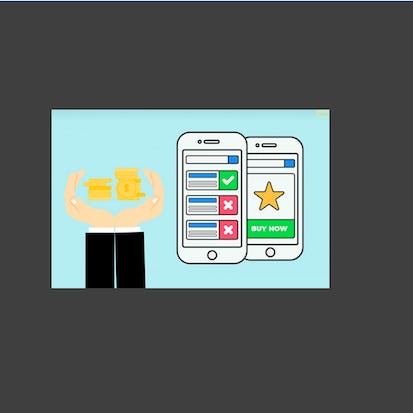
In this project, we will predict Ads clicks using logistic regression and XG-boost algorithms. In this project, we will assume that you have been hired as a consultant to a start-up that is running a targeted marketing ad campaign on Facebook. The company wants to analyze customer behavior by predicting which customer clicks on the advertisement.
Buy Now Free
- Level Foundation
- المدة 3 ساعات hours
- الطبع بواسطة Coursera
-
Offered by
عن
In this project, we will predict Ads clicks using logistic regression and XG-boost algorithms. In this project, we will assume that you have been hired as a consultant to a start-up that is running a targeted marketing ad campaign on Facebook. The company wants to analyze customer behavior by predicting which customer clicks on the advertisement.الوحدات
Your Learning Journey
-
1
Readings
-
1
Plugin
-
1
Lab
-
1
Assignment
1
Assignment
- Assess Your Knowledge
1
Labs
- Predict Ad Clicks Using Logistic Regression and XG-Boost
1
Readings
- Project Overview
Auto Summary
Discover how to predict ad clicks using logistic regression and XG-Boost algorithms in this beginner-level Coursera course. Perfect for those in personal development, this 180-minute project places you in the role of a consultant analyzing customer behavior for a targeted marketing campaign on Facebook. Enroll for free and enhance your data analysis skills today!
Buy Now Free

- Level Foundation
- المدة 4 ساعات hours
-
Offered by
عن
After successfully completing this project, you will have created a cover letter and an envelope using Libre Writer. While composing a cover letter, you will use various features in Writer such as tables and fields. You will modify the font, change paragraph alignment and insert a bulleted list. You will also learn how to create an envelope as part of a document or save it as a separate file. Note: This course works best for learners who are based in the North America region. We’re currently working on providing the same experience in other regions.Auto Summary
Enhance your personal development with the "Create a Cover Letter with an Envelope using Libre Writer" course, offered by Coursera. This foundational course is designed to help you master the essential skills needed to craft a professional cover letter and envelope using Libre Writer, a popular word processing software. In this engaging course, you will learn to utilize various features in Libre Writer, including tables, fields, font modifications, paragraph alignment, and bullet points. By the end of the course, you will have created a polished cover letter and an envelope, either as part of a document or saved as separate files. Ideal for learners in North America, this one-hour course is part of the Starter subscription plan and is perfect for individuals seeking to improve their document creation skills. Whether you're a job seeker, professional, or student, this course provides practical knowledge to enhance your writing capabilities using Libre Writer.